How it works
How a challenge runs
Five steps, start to finish.
- 1You set it up Dates, division sizes, the step cap, and whether people can type steps in.
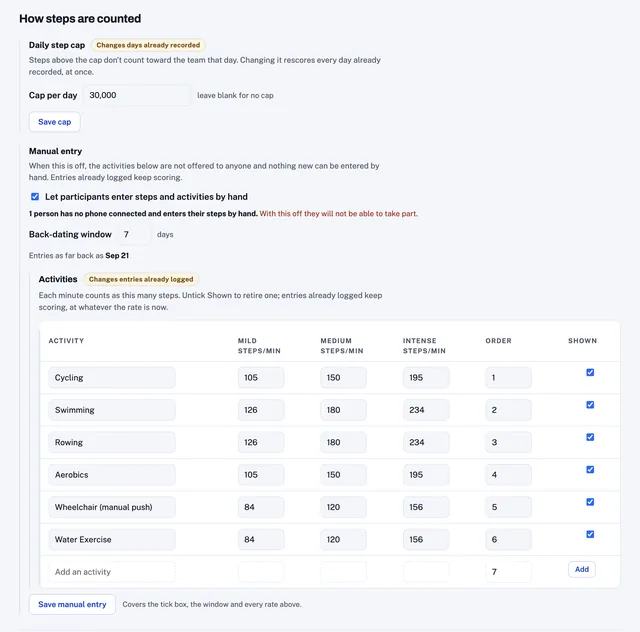
The console tells you what a setting will do before you change it, including who it would shut out. - 2People register They pay on the registration page, or enter a code you gave them. The money goes straight to your own account.
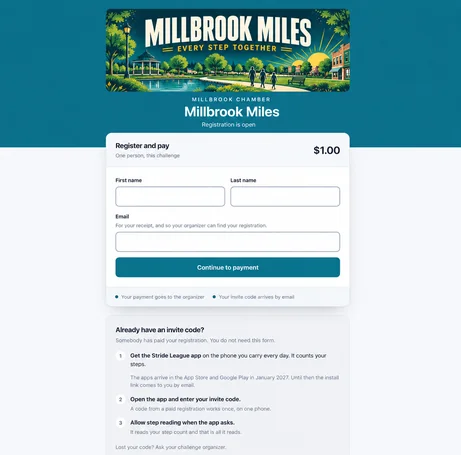
The registration page carries your banner, your color and your challenge name. - 3They join a team With a team code, in the app or on the web. Captains can start a team and hand the code out.
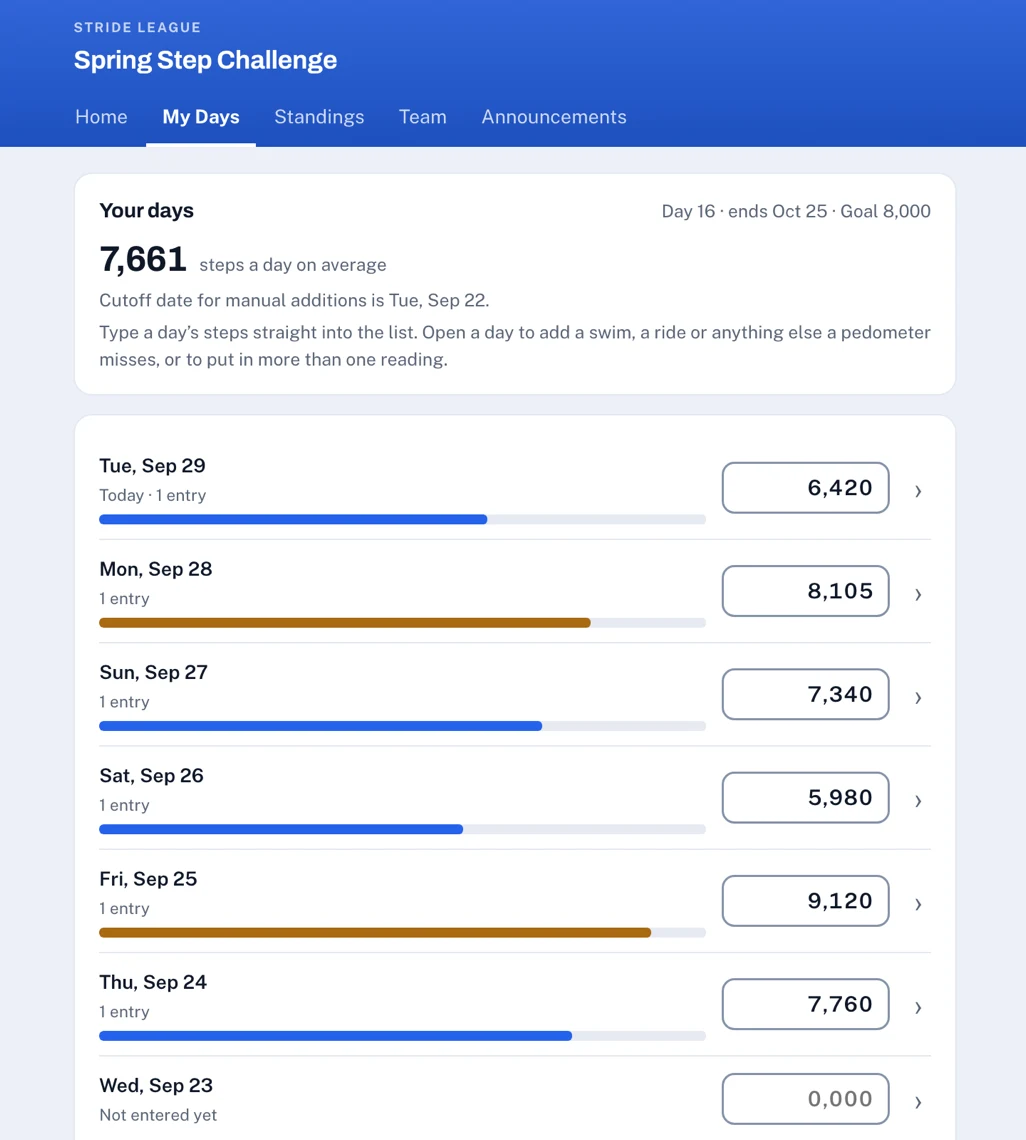
- 4Standings update automatically daily Phones push their data to the platform all day, and the standings update each day. People can also manually enter steps or other activities like biking and swimming.
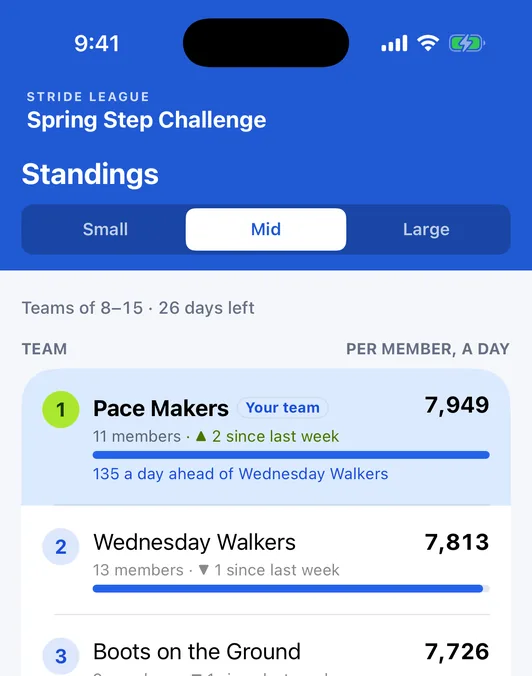
Every team sees where it stands in its division, and which way it moved this week. - 5Results are final At the end of the event, the winners are announced and the challenge ends.
Where a challenge is won or lost
The two biggest hurdles to a successful challenge.
Getting everybody signed up, and getting their steps to count. Both of them are part of the system here, and both of them are where the work usually goes.
Getting everybody registered
One page takes the details and the payment together, and the money goes straight to your own account. The registration process is smooth for individuals as well as corporate bulk subscribers.
Getting the steps to count
The app counts the steps and sends them in on its own. If a phone stops sending, the system spots it, tells the person, and shows them the setting to switch back on, so it is usually sorted out before it reaches you.
Team size divisions
Divisions sort themselves as teams fill up.
You set the size bands once, at the start. From then on every team lands in the right division as people join, and moves across as it grows. Ranking is on steps per member a day, so a team of four and a team of forty both have something to win.
TEAM-2ZFGTEAM-7QKPTEAM-M4XBTEAM-9HVDTEAM-PB3NTEAM-4RD2TEAM-QN8VTEAM-K8WRTEAM-XT6QTEAM-XTKQPace Makers were in Small with seven people. Their eighth joined, and the system ranked them in Mid from then on.
When a phone stops counting
The app tries to solve step reporting problems before they get to you.
Permissions get switched off by an update. Phones get replaced mid challenge. A watch stops pairing. It happens in every challenge, so the system starts at the person’s end and works inward.
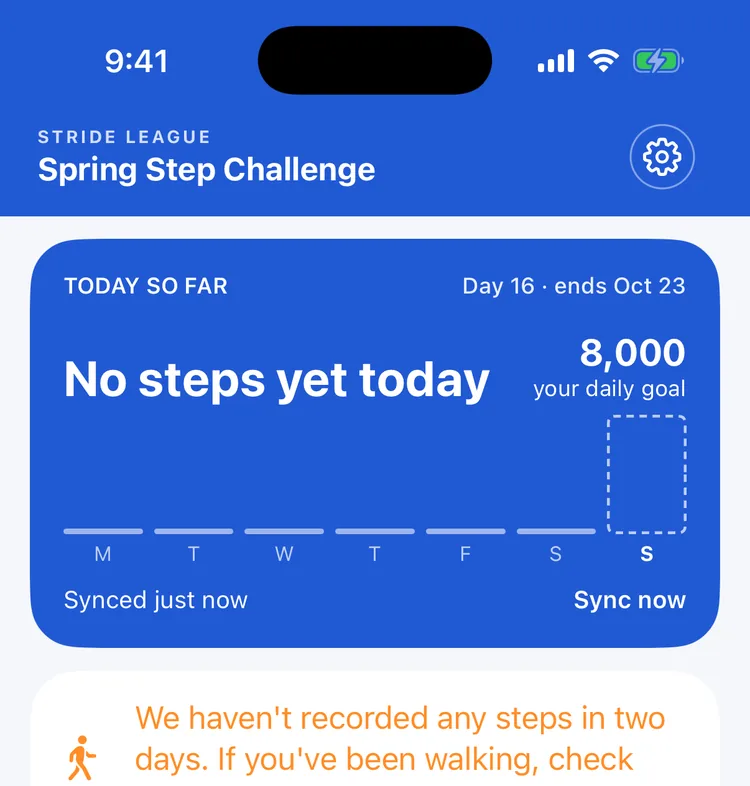
- 1The app asks the person firstAfter two days with no steps, Home says so and shows where the setting lives. After three, a notification follows. Most get fixed by the person, right there.The participant
- 2Then the captain can see itA team page showing when each person last checked in, so a reminder comes from a friend who is invested.The team captain
- 3You see what is leftThe console lists every phone that has stopped reporting and how long ago. The goal is to give the participants and their captain the tools to solve problems before they are escalated to you.The organizer
Get the app
iPhone, Android, or any computer.
The apps count the steps for you. The web interface covers everybody else, and anyone who would rather use a computer.
iPhone
The app counts your steps in the background and sends them in, so the standings stay current on their own.
Android
The app counts your steps in the background and sends them in, so the standings stay current on their own.
Web interface
Sign in on any computer and see the same standings, the same announcements and the same finish.
Go to my.strideleague.comAvailable now
Using a pedometer, or a computer
Type a step count in on the web, one day at a time or a whole week at once, and it counts the same as a day a phone counted. If the organizer turns it on, activities can be entered the same way and converted to steps. Anybody can take part, whether they carry a smartphone or a pedometer.